

Important Health Coverage Documents
Download Your 1095-C Form
Follow these steps to access your Form 1095-C in Workday:
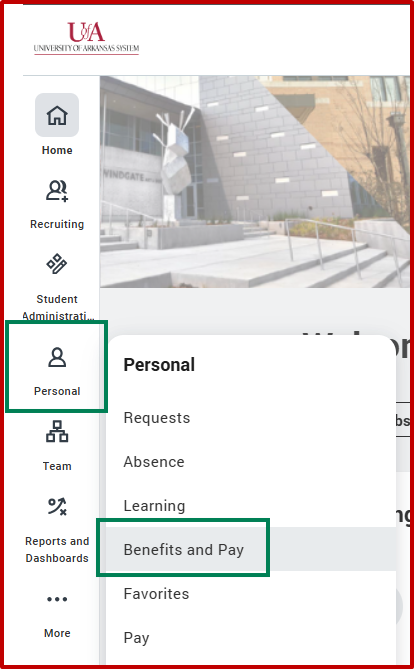
Use the side navigation bar to hover over Personal and access the Benefits and Pay app.
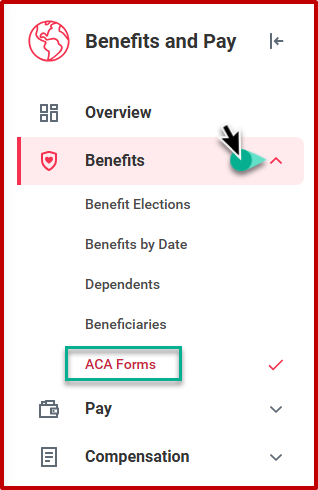
Expand the Benefits section and click on ACA Forms.
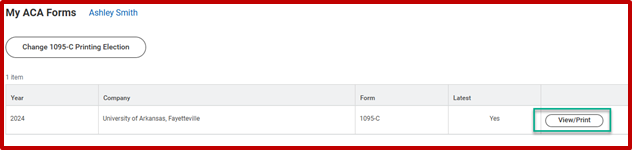
Select View/Print to generate a PDF file.
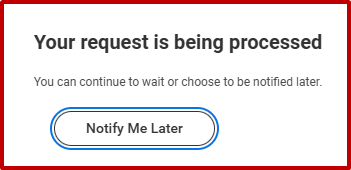
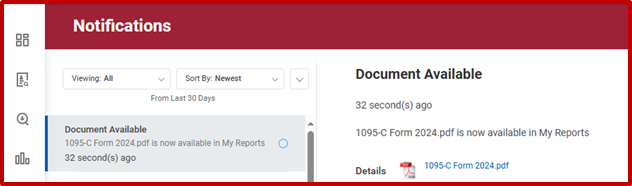
Wait for your form to generate or click Notify Me Later. If you select Notify Me Later, you will receive a Workday notification with a link to the document once your PDF is generated.

If you cannot access a copy online or need assistance, you may contact your campus Human Resources office to request a copy.